




EYE LEAD
EYE LEAD
Guide · Instagram content

Your Instagram editorial calendar, the one you’ll actually stick to.

The problem is almost never a lack of ideas: it’s having to figure out what to post on the day itself. An editorial calendar fixes that by moving the thinking upstream, once, for all the weeks ahead.

7 days free · No credit card · You choose your plan at the endPublished on by the EYE LEAD team
Editorial calendar guide
✓
Post scheduled
Instagram · Monday 6 p.m.
✦
Carousel approved
5 slides · ready to publish
In short
You may already be using
  1. An Instagram editorial calendar is the plan for your upcoming posts: which topic, which format (post, carousel, Reel), which day and for what purpose.

  2. To build one, you define 3 to 5 content pillars and a realistic pace, then fill in the slots from an idea bank, create in batches and schedule.

  3. What matters most isn’t frequency, it’s consistency.

The groundwork before you fill in the slots

Scroll · 4 key points
Editorial calendar guide
✓Published October 3, 2026
✓4 key points
✓2 Q&As
01

3 to 5 content pillars

The main themes you want associated with your brand, for example: tips, behind the scenes, proof (reviews, results), your offer. Every post serves one of them.


02

A pace you can keep up

Three posts a week for six months beats one a day for three weeks. Choose the pace of your busy weeks, not your ideal ones.

In your spacejust now
Monday post — ReelScheduled
Tuesday carouselTo approve
Wednesday idea→ Script
03

The right format for the right goal

Carousels to explain and get saves, Reels to get discovered, posts to mark an announcement or share proof.

1Idea
2Ready
3Scheduled
✓Published
Post · photo & carouselReel · short video
04

An idea bank that’s always open

Write down every idea as soon as it comes, with its pillar and format: that’s what fills your calendar, not the inspiration of the moment.

In the app

Your Instagram editorial calendar, the one you’ll actually stick to.

The problem is almost never a lack of ideas: it’s having to figure out what to post on the day itself. An editorial calendar fixes that by moving the thinking upstream, once, for all the weeks ahead.

3 to 5 content pillarsA pace you can keep upThe right format for the right goal
Editorial calendar guide desktop
Editorial calendar guide mobile

The 5-step method

01

Empty your head

Gather all your ideas in a single bank, sorted by pillar and by format.

02

Lay out your month

Place your key moments (launches, events), then spread your pillars across the weeks.

03

Write in batches

One session for all the text: captions, Reel scripts, the text for each carousel slide.

04

Create and check your grid

Produce your visuals, then look at how cohesive your feed is before you sign off.

05

Schedule and forget

Schedule everything so publishing no longer depends on how free you are that day.

Frequently asked questions

All guides →
How many times a week should you post on Instagram?

There’s no magic number: the right pace is the one you can keep up over time. Consistency matters more than frequency.

What tool should I use for an Instagram editorial calendar?

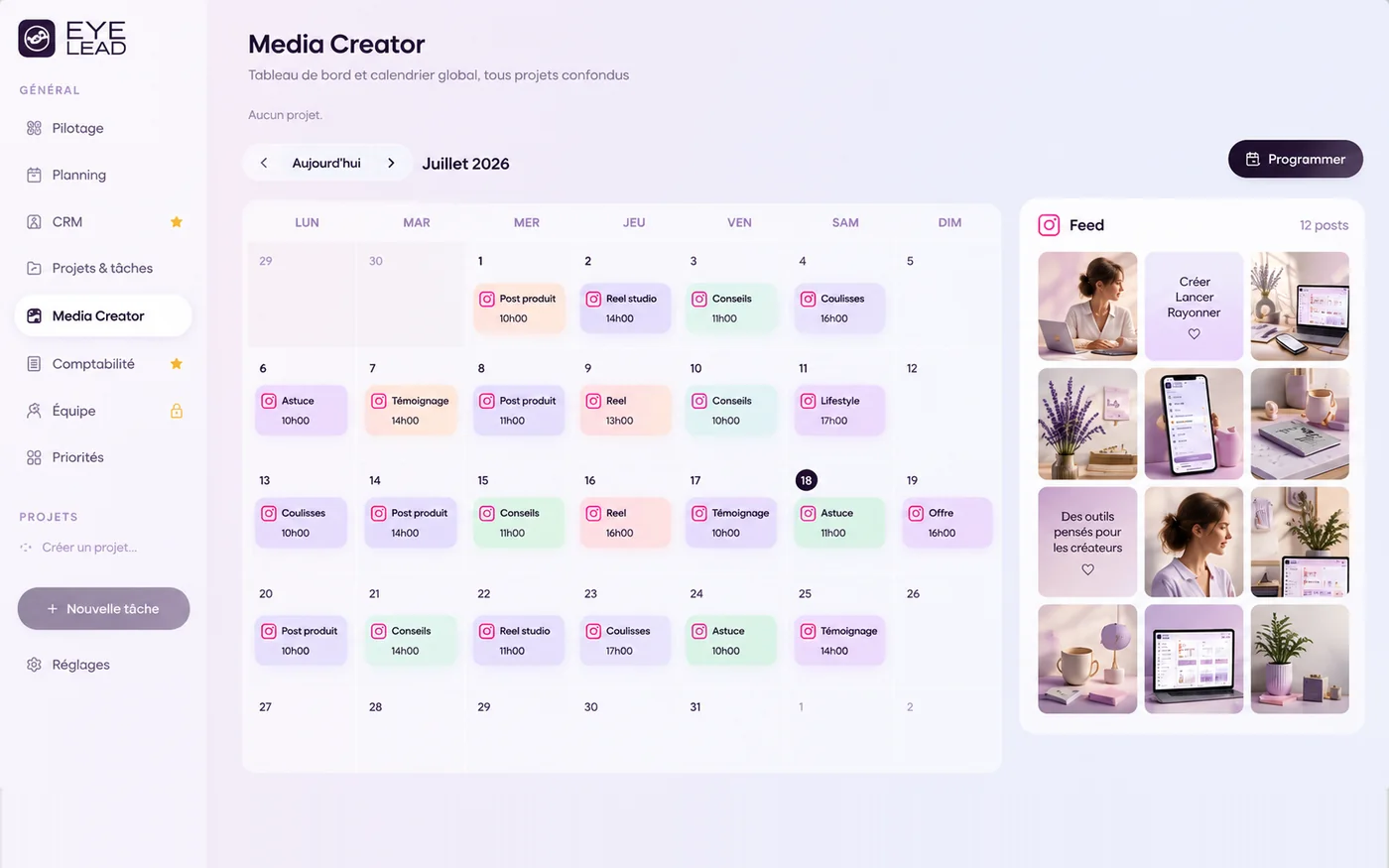
A spreadsheet is enough to get started. A tool like EYE LEAD brings together the idea bank, scripts, the calendar, the grid preview and automatic Instagram scheduling, so you don’t have to jump from one app to another.

You might also like
Media CreatorEditorial calendar
→
Instagram schedulingInstagram scheduling
→
Comparison · PlanolyPlanoly alternative
→
Take back the lead

Your whole business, in a single space.

Create your EYE LEAD space and try everything for 7 days, no credit card needed.

Start my free trial