


EYE LEAD
EYE LEAD
Planner & focus

Days that move forward, instead of slipping away.

You start your day with a list of twenty things and end it having answered messages. EYE LEAD turns your list into a realistic schedule, then keeps you focused while you get things done.

7 days free · No credit card · You choose your plan at the end
EYE LEAD day planner
✓
3 priorities set
Morning ritual · 2 min
◷
Focus 25 min
In progress · Clara follow-up
In short
You may already be using
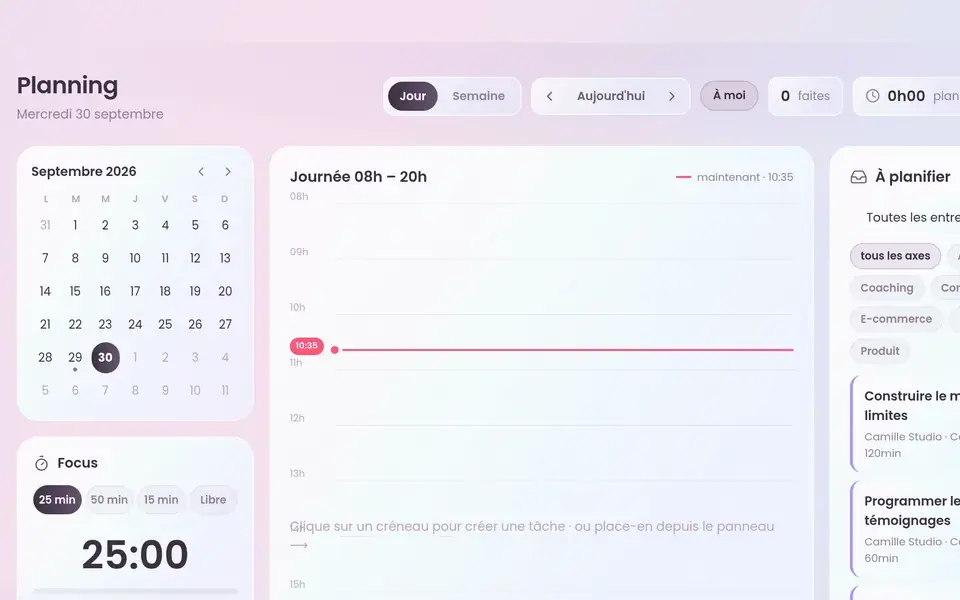
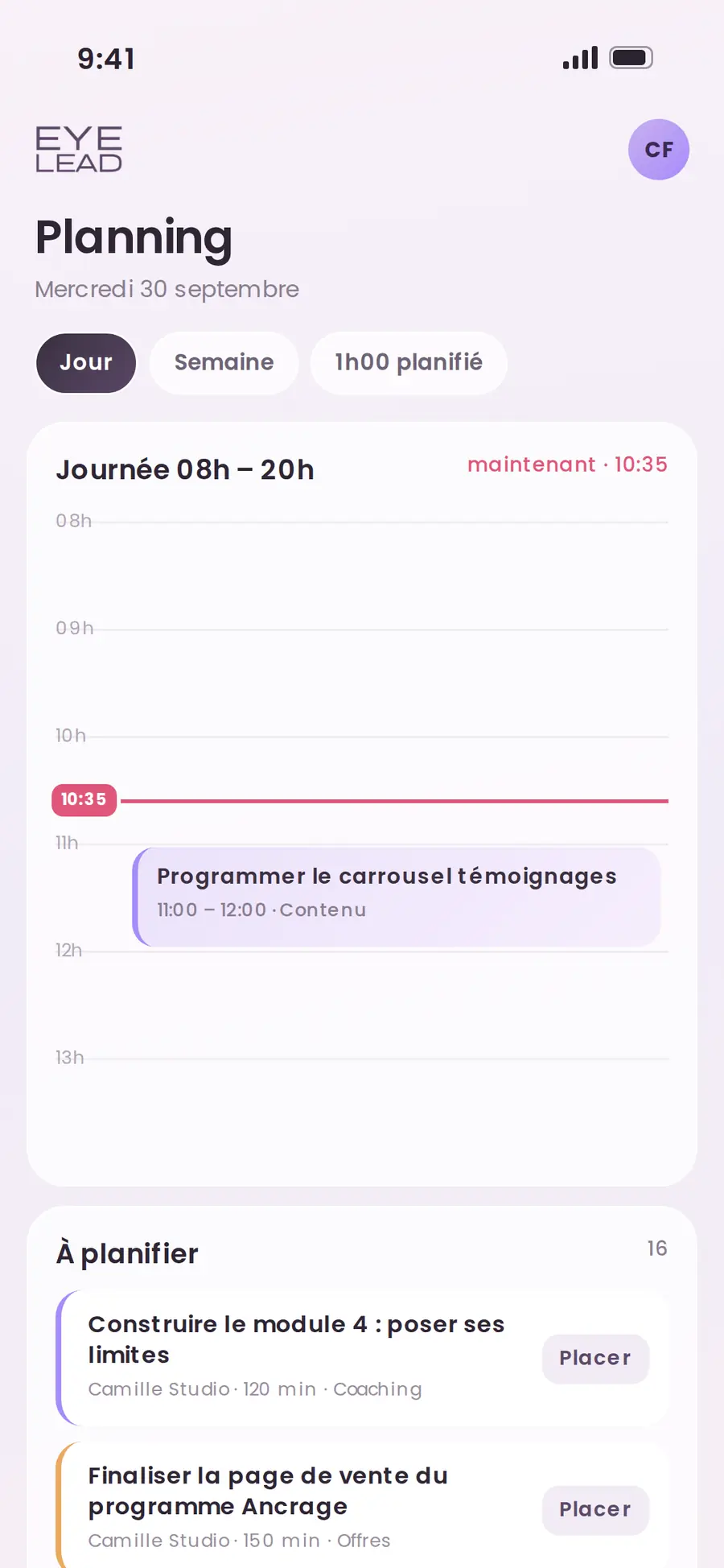
  1. EYE LEAD’s planner places your tasks in a day or week view, from 8 a.m. to 8 p.m., by drag and drop: you move and stretch each block, and unscheduled tasks wait in an inbox.

  2. A focus timer (25, 50 or 15 minutes, or open-ended) logs the time spent on the task, and a morning brief and evening recap arrive in the app at the time you choose.

What it changes, in practice

Scroll · 3 changes
Planner & focus
✓Ready to use
✓No re-typing
✓In the same app
01

Your list becomes a realistic schedule

You drag each task into a time slot, stretch it to its real length, and see right away whether your day holds up or whether you’re kidding yourself.

02

Real focus time

One click starts a 25- or 50-minute focus session, and the time spent is added to the task, which also helps you price your next quotes more accurately.

In your spacejust now
1. Morning ritualDone
2. Focus 25 minIn progress
3. Follow up with Clara→ Schedule
03

Start and end your day in peace

The morning brief tells you where to start and the evening recap shows you what moved forward, so you can close your laptop guilt-free.

1To do
2Planned
3In progress
✓Done
In the app

Days that move forward, instead of slipping away.

You start your day with a list of twenty things and end it having answered messages. EYE LEAD turns your list into a realistic schedule, then keeps you focused while you get things done.

Your list becomes a realistic scheduleReal focus timeStart and end your day in peace
Planner & focus desktop
Planner & focus mobile

Frequently asked questions

All features →
Does the planner sync with Google Calendar?

Not for now: EYE LEAD’s planner works on its own, linked directly to your tasks and your brands.

Does the planner work on a phone?

Yes. On mobile, the calendar shows first, and a long press lets you move or stretch a block.

You might also like
Brands & tasksProject management
→
Comparison · NotionNotion alternative
→
Comparison · TrelloTrello alternative
→
Take back the lead

Your whole business, in a single space.

Create your EYE LEAD space and try everything for 7 days, no credit card needed.

Start my free trial