

EYE LEAD
EYE LEAD
Comparison · Google Calendar

Google Calendar for your appointments, EYE LEAD for your real days.

Google Calendar is unbeatable for booking an appointment, but it doesn’t know you have three carousels to write, two invoices to follow up on and a launch in two weeks. EYE LEAD fits all of that into your day.

7 days free · No credit card · You choose your plan at the end
Google Calendar alternative
EYE LEAD
Content, invoices and projects
Google Calendar
Calendar
In short
EYE LEADvsGoogle Calendar
See the line-by-line comparison ↓
  1. Google Calendar

    Google Calendar is a free calendar, ideal for appointments, invitations and calendar sharing.

  2. EYE LEAD

    EYE LEAD isn’t an appointment calendar and doesn’t sync with Google Calendar: it’s a task planner where you drag your brands’ work onto time slots, with a focus timer that logs the time spent.

  3. The verdict

    The two complement each other more than they compete.

What you gain by planning in EYE LEAD

Scroll · 3 changes
Google Calendar alternative
✓Ready to use
✓No re-typing
✓In the same app
01

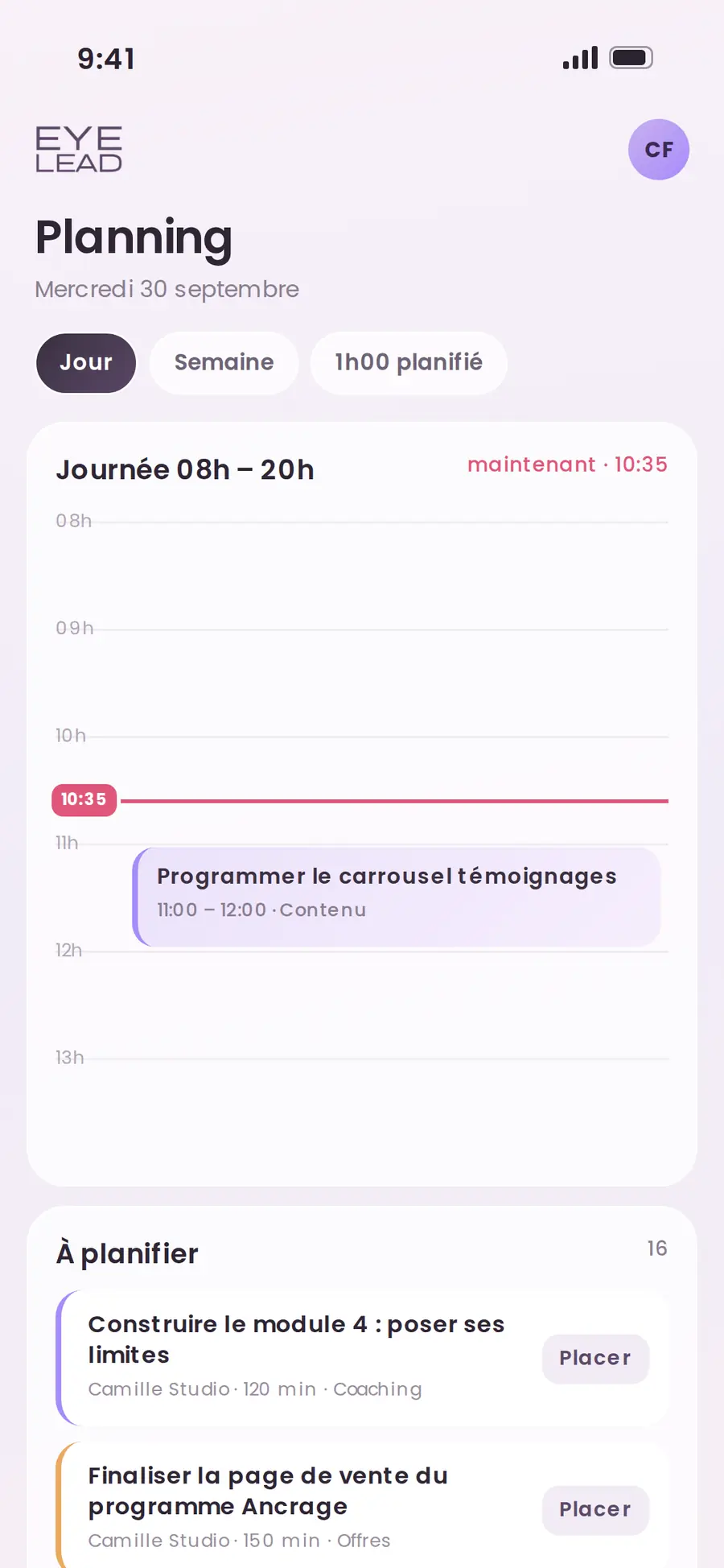
Your to-do list finally becomes a plan

Each task slides onto a time slot and stretches to its real length, so you see right away whether your day holds up or whether you’ve overloaded yourself again.
02

Time spent, measured effortlessly

The focus timer logs your minutes on the task, so you finally know how long a carousel or an invoice really takes you.

In your spacejust now
1. Morning ritualDone
2. Focus 25 minIn progress
3. Follow up with Clara→ Schedule
03

Everything is linked to your brands

A scheduled task belongs to its project, its subtasks and its deadline, whereas a calendar event stays an isolated box.

1To do
2Planned
3In progress
✓Done
Comparison

EYE LEAD or Google Calendar, line by line

Comparison made in October 2026 based on Google Calendar’s native features.

NeedEYE LEADGoogle Calendar
Appointments, invitations, calendar sharingEYE LEAD NoGoogle CalendarYes, it’s its strength
Tasks dragged onto time slotsEYE LEAD YesGoogle CalendarLimited
Focus timer and time spent per taskEYE LEAD YesGoogle Calendar No
Tasks linked to projects and brandsEYE LEAD YesGoogle Calendar No
Morning brief and evening reviewEYE LEAD YesGoogle Calendar No
Sync between the twoEYE LEADNot yetGoogle Calendar—

When Google Calendar is still the right choice

What Google Calendar does on top
  • Appointments, invitations, calendar sharing

For client appointments, invitations and anything you share with other people, Google Calendar remains the go-to tool.

Keep it for that, and trust EYE LEAD with the time you spend moving your business forward.

The brands mentioned belong to their respective owners. EYE LEAD is neither affiliated with nor a partner of these companies.

In the app

Google Calendar for your appointments, EYE LEAD for your real days.

Google Calendar is unbeatable for booking an appointment, but it doesn’t know you have three carousels to write, two invoices to follow up on and a launch in two weeks. EYE LEAD fits all of that into your day.

Your to-do list finally becomes a planTime spent, measured effortlesslyEverything is linked to your brands
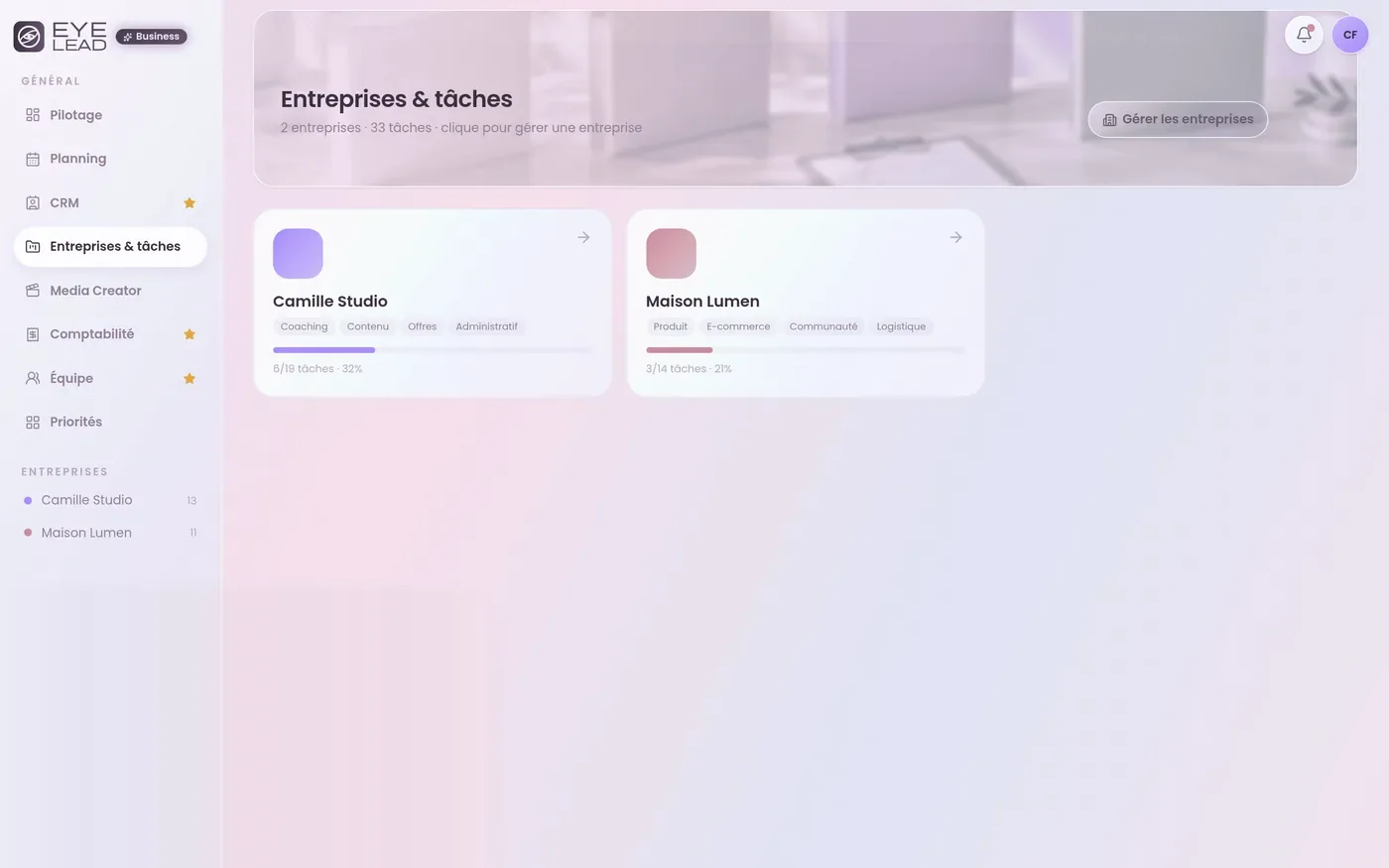
Google Calendar alternative desktop
Google Calendar alternative mobile

Frequently asked questions

All comparisons →
Does EYE LEAD sync with Google Calendar?

Not for now. EYE LEAD’s planner works on its own, linked to your tasks and your brands.

Should you give up Google Calendar?

No. Google Calendar is still perfect for your appointments and invitations, and EYE LEAD takes care of planning your work.

You might also like
Planner & focusPlanner & focus
→
Brands & tasksProject management
→
Comparison · TrelloTrello alternative
→
Take back the lead

Your whole business, in a single space.

Create your EYE LEAD space and try everything for 7 days, no credit card needed.

Start my free trial