EYE LEAD
EYE LEAD
Instagram scheduling

Schedule your Instagram posts, and finally put your phone down.

You prepare your post, caption and hashtags once, then EYE LEAD publishes it to your account at the exact time you chose, whether you’re in a meeting, on a shoot or finally enjoying your weekend.

7 days free · No credit card · You choose your plan at the end
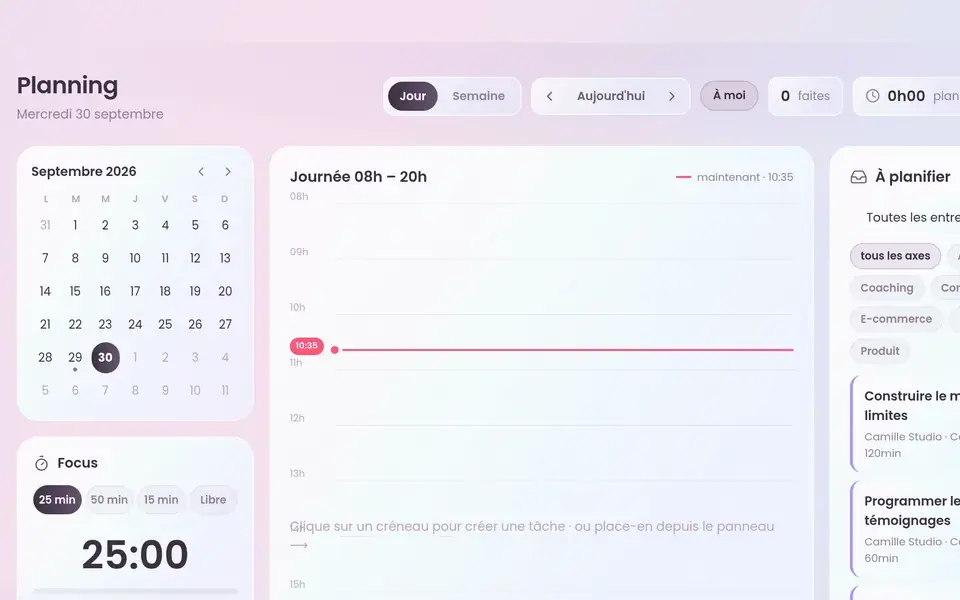
Instagram scheduling calendar in EYE LEAD
✓
Post scheduled
Instagram · Monday 6 p.m.
✦
Carousel approved
5 slides · ready to publish
In short
You may already be using
  1. EYE LEAD schedules and automatically publishes your photos, carousels (2 to 10 visuals) and Reels to Instagram through Instagram’s official API, with a professional or creator account and no Facebook page.

  2. Your calendar, grid preview and captions live in the same space as your clients and invoices, which makes it an all-in-one alternative to standalone scheduling tools.

What it changes, in practice

Scroll · 4 changes
Instagram scheduling
✓Ready to use
✓No re-typing
✓In the same app
01

Your consistency no longer depends on your energy that day

You create when inspiration strikes, in one batch on Sunday if you like, and your posts go out at the right moment all week, with no reminder or alarm going off in the middle of a client meeting.

02

Photos, carousels and Reels, without switching tools

The three formats that matter on Instagram all go out from the same screen, with captions up to 2,200 characters and 5 hashtags, Instagram’s current limit, and EYE LEAD checks formats before sending so nothing gets stuck at the last minute.

In your spacejust now
Monday post — ReelScheduled
Tuesday carouselTo approve
Wednesday idea→ Script
03

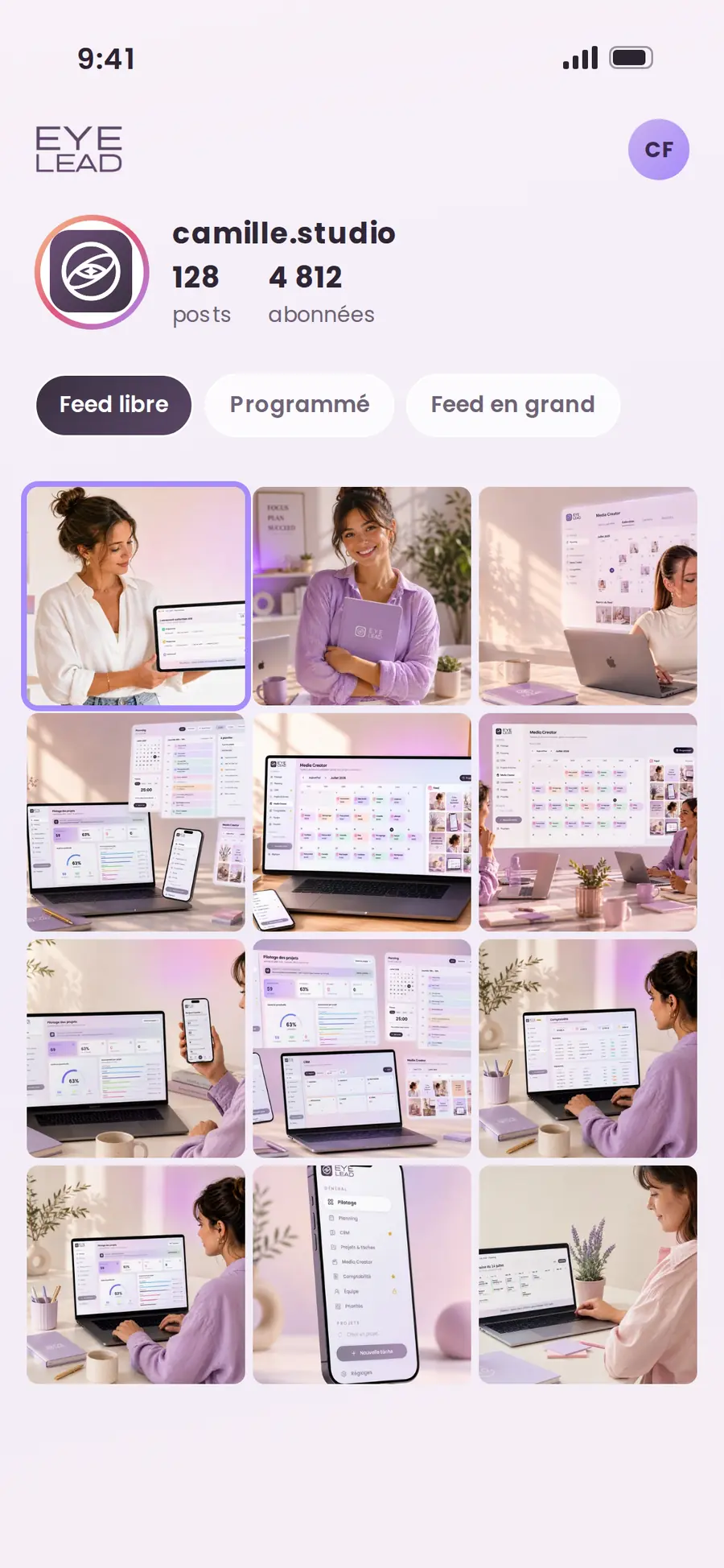
See your grid before your followers do

The feed preview shows you how your upcoming posts look together, and you rearrange your visuals by drag and drop until your profile truly looks like your brand.

1Idea
2Ready
3Scheduled
✓Published
Post · photo & carouselReel · short video
04

One Instagram account per brand

Running several projects? Each brand has its own connected account and its own calendar, so no more posts published to the wrong profile.

In the app

Schedule your Instagram posts, and finally put your phone down.

You prepare your post, caption and hashtags once, then EYE LEAD publishes it to your account at the exact time you chose, whether you’re in a meeting, on a shoot or finally enjoying your weekend.

Your consistency no longer depends on your energy that dayPhotos, carousels and Reels, without switching toolsSee your grid before your followers do
Instagram scheduling desktop
Instagram scheduling mobile

How it works in EYE LEAD

01

Connect your Instagram account

In two clicks through Instagram’s official login, with a professional or creator account, and without going through a Facebook page.

02

Prepare your post

Add your visual, carousel or Reel, write your caption and pick the date and time in your editorial calendar.

03

Check your grid

The feed preview shows you how it will look on your profile, and you can still edit, reschedule or swap two posts.

04

EYE LEAD publishes for you

Your post goes out on its own at the scheduled time, and you watch its status switch from “scheduled” to “published”.

Frequently asked questions

All features →
Can I schedule Instagram Reels and carousels with EYE LEAD?

Yes. EYE LEAD schedules and automatically publishes photos, carousels of 2 to 10 visuals and Reels from 3 seconds to 15 minutes long, in JPEG, MP4 or MOV format. A Reel can be up to 300 MB from the Studio plan up, and up to 100 MB on Solo.

Do I need a Facebook page to schedule on Instagram?

No. EYE LEAD uses Instagram’s official login: a professional or creator Instagram account is all you need, with no linked Facebook page.

How many automatic posts are included?

The Solo plan includes 3 auto-published Instagram posts per month, so you can try it with no commitment. Studio includes 10 per month, and they’re unlimited from Pro up. Manual scheduling (a post placed in your calendar that you publish yourself) stays unlimited on every plan.

Does EYE LEAD also publish to TikTok, LinkedIn or Facebook?

No, not today. EYE LEAD is built for Instagram, which is still our users’ main network, and automatic publishing covers Instagram only.

Does EYE LEAD show analytics for my posts?

Not Instagram analytics (reach, likes, followers). Your dashboard does track the number of posts published each week, alongside your paid invoices and the revenue you’ve collected.

You might also like
Media CreatorEditorial calendar
→
Comparison · MetricoolMetricool alternative
→
Comparison · PlanolyPlanoly alternative
→
Take back the lead

Your whole business, in a single space.

Create your EYE LEAD space and try everything for 7 days, no credit card needed.

Start my free trial