




EYE LEAD
EYE LEAD
Payment reminders

Overdue invoices, chased without spending your evening on it.

Chasing a client for payment is often the most uncomfortable moment of the week, so you put it off, and the money sits idle. EYE LEAD shows you what’s overdue, drafts the email for you, and all that’s left is to send it.

7 days free · No credit card · You choose your plan at the end
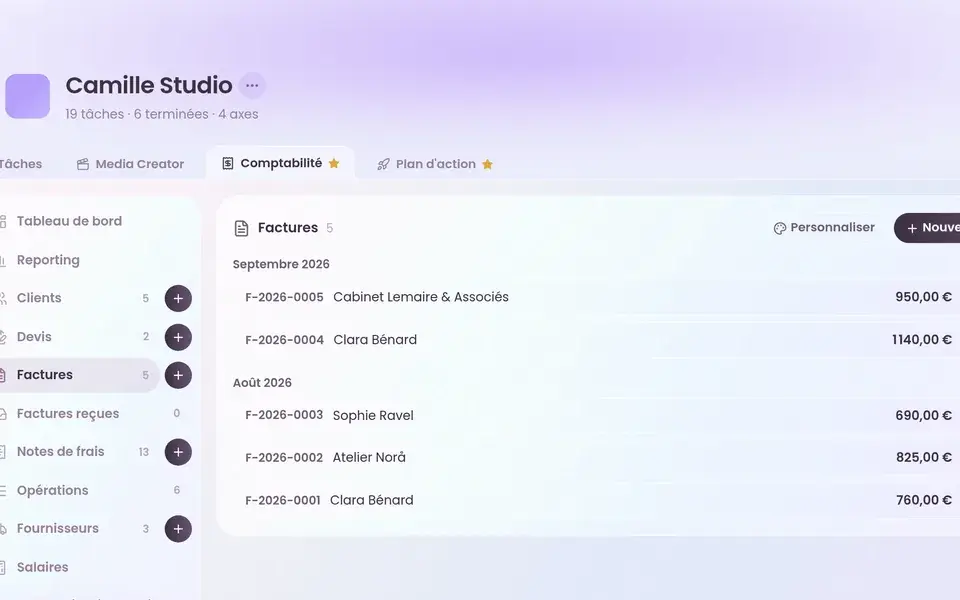
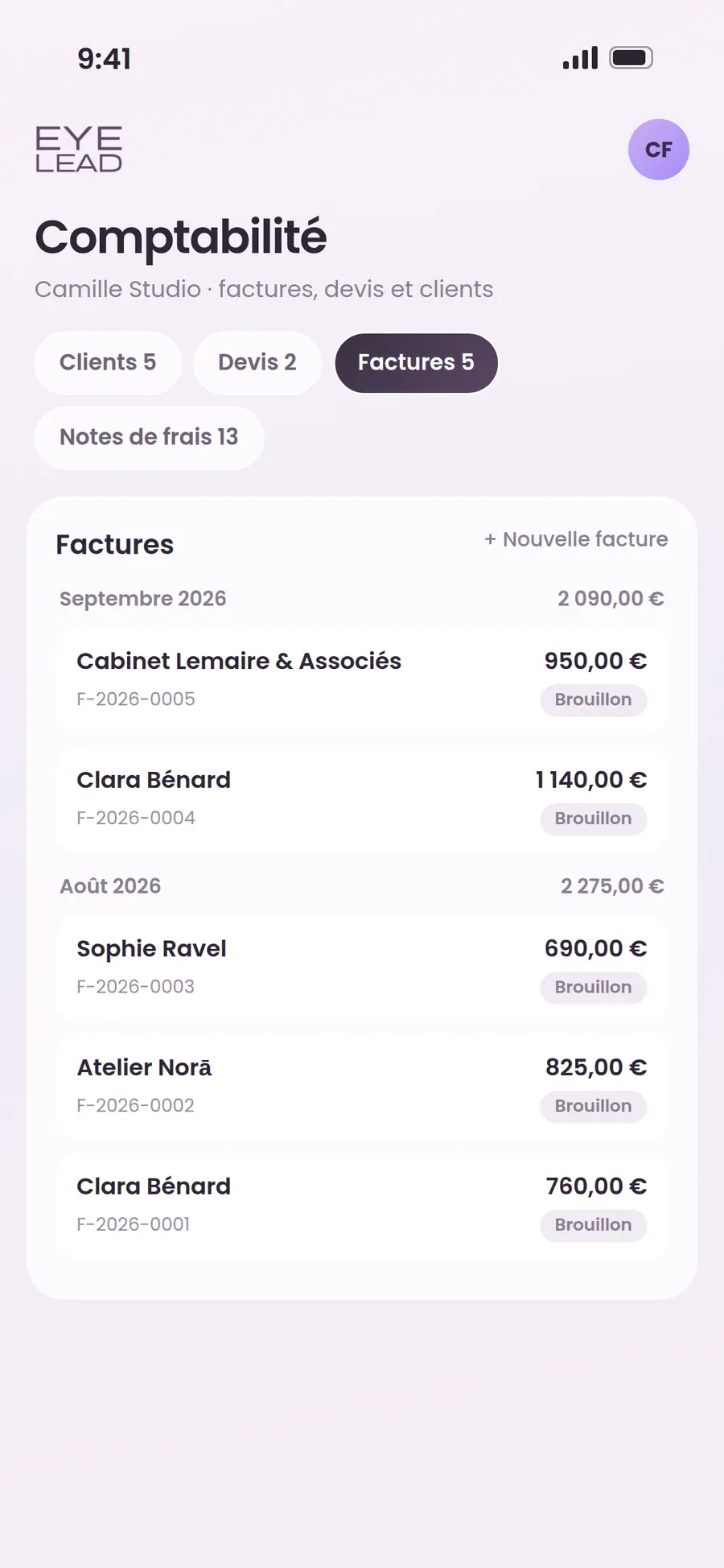
Invoice list and payment reminders in EYE LEAD
✓
Compliance checked
Factur-X · EN 16931
€
Invoice #042 paid
Status updated · just now
In short
You may already be using
  1. EYE LEAD flags every sent invoice whose due date has passed, with its number of days overdue, and every quote left without follow-up for 7 days.

  2. The “Send a reminder” button opens a polite, ready-written email in your mail app with the number, the amount incl.

  3. VAT and the due date.

  4. On your dashboard, the “To collect” block shows what’s still coming in and the clients who owe you the most, overdue ones first.

  5. EYE LEAD doesn’t send the email for you.

What it changes, in practice

Scroll · 4 changes
Unpaid invoice reminders
✓Ready to use
✓No re-typing
✓In the same app
01

Late payments jump out at you

An overdue invoice shows up in pink with its number of days late, instead of blending into the list of sent invoices.

02

The email is already written

Number, amount incl. VAT, due date and a polite wording: your reminder opens ready to go in your mail app, addressed to your client if their email is on the invoice.

In your spacejust now
Imprimerie LumenApproved
Studio Photo ArlesTo approve
Canva Pro→ Expense
03

Forgotten quotes come back to the front

A quote with no deposit, no final invoice and no invoice after 7 days is marked “no follow-up”, with an email to check in without pushing.

1Sent
2Received
3Approved
€Paid
B2B · Factur-XB2C · e-reporting
04

Who owes you what, right from home

The “To collect” block shows the total expected, the overdue share and the clients concerned, overdue ones first, with a direct link to their pending invoices.

In the app

Overdue invoices, chased without spending your evening on it.

Chasing a client for payment is often the most uncomfortable moment of the week, so you put it off, and the money sits idle. EYE LEAD shows you what’s overdue, drafts the email for you, and all that’s left is to send it.

Late payments jump out at youThe email is already writtenForgotten quotes come back to the front
Unpaid invoice reminders desktop
Unpaid invoice reminders mobile

How it works in EYE LEAD

01

Open your dashboard

The “To collect” block shows you what’s still coming in, and who’s been late since when.

02

Spot the overdue invoices

In your list, late invoices and quotes with no follow-up carry a badge with their number of days.

03

Click “Send a reminder”

Your mail app opens with an email already written, which you can tweak if you like before sending it.

04

Mark the invoice as paid

When the payment arrives, you note the method used and the invoice leaves the overdue list.

Frequently asked questions

All features →
Does EYE LEAD send reminders automatically?

No. EYE LEAD prepares the email and opens it in your mail app, but you’re the one who sends it, which leaves the tone and the timing up to you.

When is an invoice considered overdue?

As soon as its due date has passed and it still has the “sent” status. The number of days overdue is shown next to it.

Can you follow up on an unanswered quote?

Yes. A quote dated at least 7 days ago that hasn’t led to any invoice is flagged “no follow-up”, with a pre-written email to check in.

Can you duplicate a quote or an invoice?

Yes. The “Duplicate” button creates a new draft from an existing quote or invoice, handy for a returning client.

You might also like
Quotes & invoicesQuotes and invoices
→
Budget & scheduleBudget & payment schedule
→
Comparison · TiimeTiime alternative
→
Take back the lead

Your whole business, in a single space.

Create your EYE LEAD space and try everything for 7 days, no credit card needed.

Start my free trial